Real-Time Insights
Record who did what and pay fairly — automatic commissions
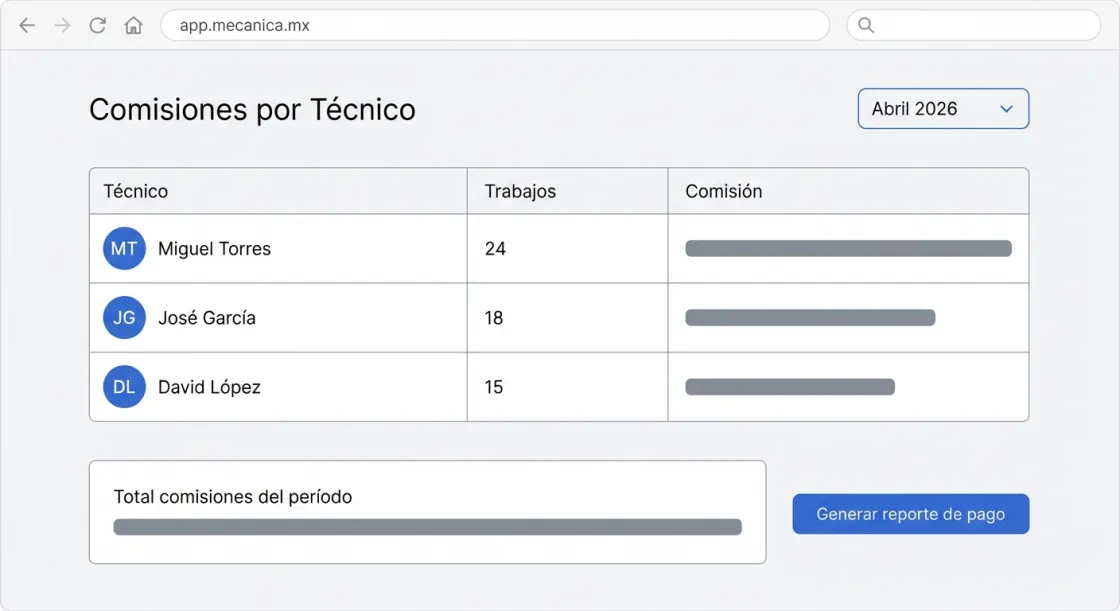
Assign jobs to technicians, log completed tasks, and calculate commissions automatically. No Excel sheets, no arguments.
Try Commissions FreeAvailable on Pro plan and above
PAY FAIRLY, NO ARGUMENTS
How do commissions work?
Assign jobs
Every service on the order is assigned to a specific technician.
Set rules
Configure commission % by service type, technician, or amount.
Auto calculation
When the order closes, the system calculates each technician's commission.
Pay report
Generate the commission report for the period. Ready to pay.
Why automate commissions?
No arguments
The math is automatic and transparent. The technician can see their report.
Motivation
Technicians see what they are earning in real time. It drives productivity.
No Excel
Stop calculating commissions by hand. The system does it for you.