Operate Efficiently
Digital work orders in 2 minutes — with professional printing and your logo
Create complete orders with parts, labor, and profit breakdown. Print with your logo or send by WhatsApp.
Try Work Orders FreeAvailable on all plans
DIGITIZE YOUR OPERATION
How do work orders work?
Create the order
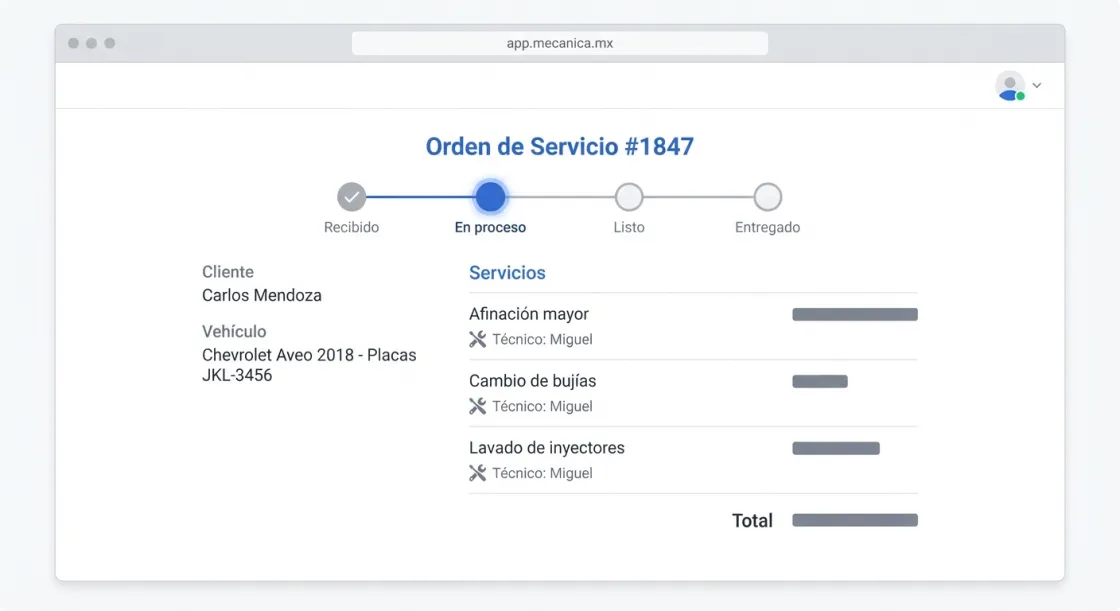
Pick the customer and vehicle. Add services, parts, and labor.
Assign technicians
Assign each job to a technician. The system records who did what.
Advance the status
Move the order through stages: received → in progress → ready → delivered.
Collect and invoice
Log the payment, generate the CFDI invoice, and send to the customer. One flow.
Why use digital work orders?
Professionalism
Orders with your logo and clear breakdown. Your customer sees a serious workshop.
Nothing forgotten
Every service, part, and labor entry recorded. Goodbye notebook.
Profit visible
See how much you earn on every order in real time. No waiting for the accountant.